


404 Issue | 404 Error Fix | Jpress Johor Web Design Tips
Have you ever clicked on a link only to be met with a frustrating “404 Page Not Found” message? If you’re wondering what a page not found errors is, check out our previous blog What is a 404 Page? to get a quick understanding.
Now, let’s dive deeper into the page not found common causes and, more importantly, how you can fix them to ensure a smooth user experience on your website. At JPress , we specialize in fixing page not found issues, helping businesses optimize their websites for better performance.
Read more articles:
- 404 Page Optimization | Effective Tips to Improve Design
- How to Know a Website is Safe: Essential Tips
- 5 Common Scams You Need to Know About | Jpress Knowledge
Common Causes
1. Incorrect URLs
One of the most common reasons for 404 is a simple typo in the URL. Users may enter the wrong address, or links may be incorrectly formatted when added to a website. Always double-check URLs before publishing.
2. Deleted or Moved Pages
If a page has been removed or its URL has changed without setting up a 301 redirect, visitors will land on a 404 page. When restructuring your website or deleting content, always implement proper redirects. JPress Solutions provides seamless redirection services to avoid this common problem.
3. Broken Internal or External Links
Outdated or mistyped links within your website (internal links) or from other sites (external links) can lead to 404 error. Regularly auditing your website for broken links can prevent this issue.
4. Caching Issues
Sometimes, a browser or CDN (Content Delivery Network) may store an old version of a webpage that no longer exists. Clearing the browser cache or purging the CDN cache can resolve this.
5. Server Configuration Problems
Improper web server configurations, such as incorrect .htaccess settings, can cause 404 error. Ensure your server settings are properly configured, especially after updates or migrations.
6. Domain or Hosting Issues
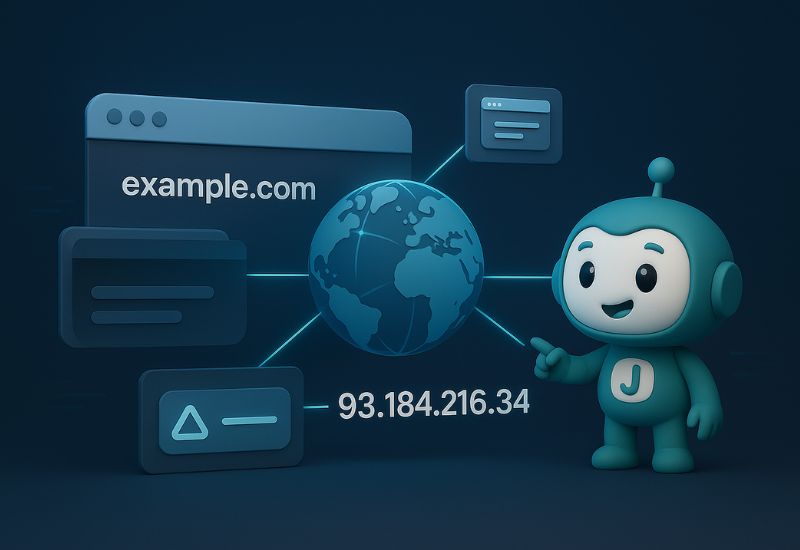
If a domain has expired or DNS settings are incorrect, users may see a 404 error when trying to access your site. Always monitor your domain renewal dates and DNS configurations.
7. CMS or Plugin Errors
For websites running on CMS platforms like WordPress, broken permalinks, missing .htaccess files, or faulty plugins can lead to 404 error. Regular maintenance and updates can help prevent this.

How to Fix 404 Isuue
✅ Check and Correct URLs
✅ Set Up 301 Redirects
✅ Monitor and Update Broken Links
✅ Clear Cache
✅ Verify Server and CMS Settings
✅ Optimize Your 404 Page
Conclusion
404 issues are frustrating but fixable! Identify causes, apply solutions, and maintain regular audits to prevent dead-end pages.
Need help? JPress web solutions provides expert support for 404 error fixes. Contact us today!



404 Issue | 404 Error Fix | Jpress Johor Web Design Tips
Have you ever clicked on a link only to be met with a frustrating “404 Page Not Found” message? If you’re wondering what a page not found errors is, check out our previous blog What is a 404 Page? to get a quick understanding.
Now, let’s dive deeper into the page not found common causes and, more importantly, how you can fix them to ensure a smooth user experience on your website. At JPress , we specialize in fixing page not found issues, helping businesses optimize their websites for better performance.
Read more articles:
- 404 Page Optimization | Effective Tips to Improve Design
- How to Know a Website is Safe: Essential Tips
- 5 Common Scams You Need to Know About | Jpress Knowledge
Common Causes
1. Incorrect URLs
One of the most common reasons for 404 is a simple typo in the URL. Users may enter the wrong address, or links may be incorrectly formatted when added to a website. Always double-check URLs before publishing.
2. Deleted or Moved Pages
If a page has been removed or its URL has changed without setting up a 301 redirect, visitors will land on a 404 page. When restructuring your website or deleting content, always implement proper redirects. JPress Solutions provides seamless redirection services to avoid this common problem.
3. Broken Internal or External Links
Outdated or mistyped links within your website (internal links) or from other sites (external links) can lead to 404 error. Regularly auditing your website for broken links can prevent this issue.
4. Caching Issues
Sometimes, a browser or CDN (Content Delivery Network) may store an old version of a webpage that no longer exists. Clearing the browser cache or purging the CDN cache can resolve this.
5. Server Configuration Problems
Improper web server configurations, such as incorrect .htaccess settings, can cause 404 error. Ensure your server settings are properly configured, especially after updates or migrations.
6. Domain or Hosting Issues
If a domain has expired or DNS settings are incorrect, users may see a 404 error when trying to access your site. Always monitor your domain renewal dates and DNS configurations.
7. CMS or Plugin Errors
For websites running on CMS platforms like WordPress, broken permalinks, missing .htaccess files, or faulty plugins can lead to 404 error. Regular maintenance and updates can help prevent this.
How to Fix 404 Isuue
✅ Check and Correct URLs
✅ Set Up 301 Redirects
✅ Monitor and Update Broken Links
✅ Clear Cache
✅ Verify Server and CMS Settings
✅ Optimize Your 404 Page
Conclusion
404 issues are frustrating but fixable! Identify causes, apply solutions, and maintain regular audits to prevent dead-end pages.
Need help? JPress web solutions provides expert support for 404 error fixes. Contact us today!


