


How to Improve Your Website Enquiry Form to Get More Leads
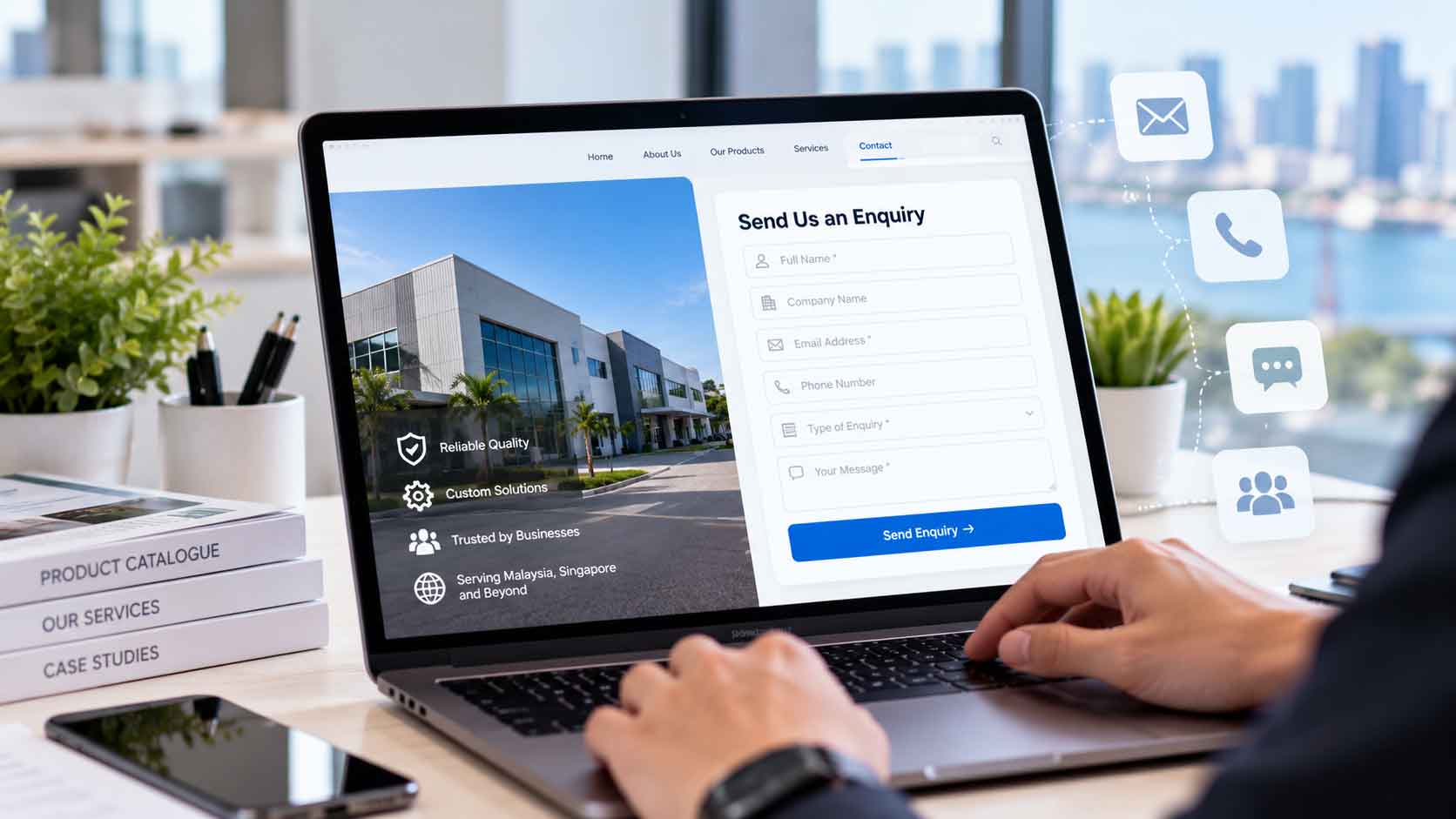
A website enquiry form should make it easy for potential customers to contact your business. If the form asks too many questions, has confusing instructions or does not work well on mobile phones, visitors may leave without sending an enquiry.
For businesses in Johor, Johor Bahru and Singapore, a clear and easy-to-use website enquiry form can help turn website visits into genuine business opportunities. However, the form alone cannot guarantee more leads. Your website also needs useful information, a clear reason to contact you and a reliable way to handle incoming enquiries.
The good news is that you do not always need a complete website redesign. Start with these seven practical improvements to make your contact process easier for potential customers.
1. Keep Your Website Enquiry Form Short
One of the first steps in contact form optimization is to remove questions that are not necessary at the first point of contact.
For example, a basic enquiry form may only need:
- Name
- Company name, if relevant
- Email address or phone number
- Type of service required
- A short message
You may need additional details for certain services, but avoid asking for everything before you have spoken to the customer. Information such as a full company profile, detailed budget breakdown or long project brief can often be collected later.
The right number of fields depends on your business and the type of enquiry you receive. The aim is not to make every form as short as possible. It is to ask only for information that helps your team respond appropriately.
Research by Nielsen Norman Group on website form usability recommends removing unnecessary fields and making forms easier to complete. Although every website is different, the principle is simple: do not make visitors do extra work without a clear reason.
2. Make Every Field Easy to Understand
A good website enquiry form should not leave visitors guessing what to enter.
Use clear labels such as “Full Name”, “Work Email” and “How Can We Help You?” instead of vague wording. If you need a phone number, explain why it is useful, especially if your team normally contacts leads by phone.
It is also helpful to distinguish between required and optional fields. Mark required fields clearly and label optional fields where needed. Visitors should be able to understand what information they must provide before they start filling in the form.
For example, if your company serves customers in Johor Bahru, across Johor and in Singapore, you might include a simple “Company Location” field when location affects service availability. If location is not important at the enquiry stage, there is no need to ask for it immediately.
Clear instructions make contact form optimization more practical because visitors can focus on explaining what they need instead of trying to understand the form.
3. Use a Clear Call-to-Action Button
The button at the end of your website enquiry form should tell visitors what will happen when they click it.
Simple labels such as “Send Enquiry”, “Request a Quote” or “Contact Our Team” are usually easier to understand than vague wording such as “Submit” or “Proceed”.
Choose wording that matches the purpose of the form. If visitors are requesting a quotation, “Request a Quote” may be appropriate. If they are asking a general question, “Send Enquiry” may be more suitable.
Make the button easy to see and tap, especially on mobile screens. Avoid placing several competing buttons next to it, as visitors should not have to guess which action to take.
A clear call to action will not automatically increase enquiries, but it can remove one small source of confusion from the contact process.
4. Make Your Website Enquiry Form Work Well on Mobile
Potential customers may visit your website from a phone while comparing suppliers, checking services or looking for a company to contact. Your form should be comfortable to use on a smaller screen.
Check that:
- Fields fit within the screen without horizontal scrolling.
- Labels are readable and placed close to their fields.
- Buttons are large enough to tap comfortably.
- The correct mobile keyboard appears for email addresses and phone numbers.
- Visitors can complete the form without zooming in or struggling with the layout.
For example, a business owner in Johor Bahru may discover your company on a phone and want to ask about your services immediately. If the website enquiry form is difficult to use, they may decide to contact another provider instead.
Test the form on different mobile devices where possible. Do not assume that a form works properly just because it looks fine on a desktop computer.
5. Show Helpful Error Messages and Confirm Successful Enquiries
A visitor may enter an email address incorrectly or forget a required field. Your website should explain what needs to be fixed instead of simply displaying a general error message.
For example, “Please enter a valid email address” is more useful than “Invalid input”. Keep the message near the relevant field and preserve the information the visitor has already entered, so they do not need to start again.
After a successful submission, show a confirmation message such as:
“Thank you for your enquiry. Our team has received your message and will get back to you as soon as possible.”
Only promise a response time if your business can consistently meet it. If you offer a specific response timeframe, make sure the team can follow through.
These small details help visitors understand whether their website enquiry form submission has gone through. They also make the contact process feel more reliable.
For more guidance, see Nielsen Norman Group’s form error design recommendations.
6. Explain What Happens After Someone Sends an Enquiry
People are more likely to contact a business when they understand what they are contacting it for and what to expect next.
Before the website enquiry form, provide enough information about your services, who you work with and the types of projects you handle. If you serve businesses in Johor, Johor Bahru and Singapore, explain your service coverage clearly where relevant.
You can also set expectations near the form. For example, tell visitors whether the team will reply by email or phone, or whether they should include product details, project requirements or an approximate budget.
Do not overload the form with information that belongs elsewhere on the website. Your service pages should answer common questions, while the form should make it easy for interested visitors to start a conversation.
If visitors are reaching your website but still do not understand your services, review your website content that converts visitors into buyers. Better content and a clearer enquiry process should work together.
7. Track Your Website Enquiry Form Performance
Making changes without checking the results can leave you guessing about what works. A simple measurement process can help you identify where visitors may be dropping off.
With Google Analytics’ lead-generation form measurement guide, you can learn how to measure form views, form starts and form submissions. Depending on your setup, you may need to configure the relevant events correctly before the data is available.
Review useful questions such as:
- How many visitors reach the page containing the form?
- How many start filling it in?
- How many successfully submit it?
- Are visitors using mobile devices experiencing more problems?
- Which service pages lead to genuine enquiries?
For example, if many people view the form but few submit it, check whether the fields are too demanding, the instructions are unclear or a technical problem is preventing submission. If very few people reach the form in the first place, the issue may be its placement or the content leading visitors to it.
Remember that a submitted form is not automatically a qualified lead. Track the enquiries your team receives and identify which ones turn into relevant conversations or customers.
How to Get More Leads from a Website Enquiry Form: A Simple Checklist
Before making major changes, review your current website enquiry form using this checklist:
It asks only for information needed at the enquiry stage.
- Every field has a clear label.
- Required and optional fields are easy to identify.
The call-to-action button explains what happens next.
The form works properly on mobile devices.
Error messages explain how to fix a problem.
A confirmation message appears after successful submission.
Enquiries are delivered to the right person or team.
Form performance and lead quality are reviewed regularly.
You do not need to change everything at once. Start with the problems that make it difficult for visitors to contact your business, then measure the results before making further adjustments.
Final Thoughts
A better website enquiry form is not necessarily a longer or more complicated one. It should help potential customers explain what they need, send their details without frustration and understand what happens next.
For businesses in Johor, Johor Bahru and Singapore, the same principle applies whether you provide professional services, manufacturing, distribution or other B2B services. Keep the form clear, make sure it works on mobile devices, respond to enquiries reliably and use real data to guide improvements.
If your form is already easy to use but enquiries remain low, look beyond the form itself. Your service information, website content, traffic quality and follow-up process may also need attention. A well-designed website enquiry form works best as part of a website that gives visitors a clear reason to contact you.




How to Improve Your Website Enquiry Form to Get More Leads
A website enquiry form should make it easy for potential customers to contact your business. If the form asks too many questions, has confusing instructions or does not work well on mobile phones, visitors may leave without sending an enquiry.
For businesses in Johor, Johor Bahru and Singapore, a clear and easy-to-use website enquiry form can help turn website visits into genuine business opportunities. However, the form alone cannot guarantee more leads. Your website also needs useful information, a clear reason to contact you and a reliable way to handle incoming enquiries.
The good news is that you do not always need a complete website redesign. Start with these seven practical improvements to make your contact process easier for potential customers.
1. Keep Your Website Enquiry Form Short
One of the first steps in contact form optimization is to remove questions that are not necessary at the first point of contact.
For example, a basic enquiry form may only need:
- Name
- Company name, if relevant
- Email address or phone number
- Type of service required
- A short message
You may need additional details for certain services, but avoid asking for everything before you have spoken to the customer. Information such as a full company profile, detailed budget breakdown or long project brief can often be collected later.
The right number of fields depends on your business and the type of enquiry you receive. The aim is not to make every form as short as possible. It is to ask only for information that helps your team respond appropriately.
Research by Nielsen Norman Group on website form usability recommends removing unnecessary fields and making forms easier to complete. Although every website is different, the principle is simple: do not make visitors do extra work without a clear reason.
2. Make Every Field Easy to Understand
A good website enquiry form should not leave visitors guessing what to enter.
Use clear labels such as “Full Name”, “Work Email” and “How Can We Help You?” instead of vague wording. If you need a phone number, explain why it is useful, especially if your team normally contacts leads by phone.
It is also helpful to distinguish between required and optional fields. Mark required fields clearly and label optional fields where needed. Visitors should be able to understand what information they must provide before they start filling in the form.
For example, if your company serves customers in Johor Bahru, across Johor and in Singapore, you might include a simple “Company Location” field when location affects service availability. If location is not important at the enquiry stage, there is no need to ask for it immediately.
Clear instructions make contact form optimization more practical because visitors can focus on explaining what they need instead of trying to understand the form.
3. Use a Clear Call-to-Action Button
The button at the end of your website enquiry form should tell visitors what will happen when they click it.
Simple labels such as “Send Enquiry”, “Request a Quote” or “Contact Our Team” are usually easier to understand than vague wording such as “Submit” or “Proceed”.
Choose wording that matches the purpose of the form. If visitors are requesting a quotation, “Request a Quote” may be appropriate. If they are asking a general question, “Send Enquiry” may be more suitable.
Make the button easy to see and tap, especially on mobile screens. Avoid placing several competing buttons next to it, as visitors should not have to guess which action to take.
A clear call to action will not automatically increase enquiries, but it can remove one small source of confusion from the contact process.
4. Make Your Website Enquiry Form Work Well on Mobile
Potential customers may visit your website from a phone while comparing suppliers, checking services or looking for a company to contact. Your form should be comfortable to use on a smaller screen.
Check that:
- Fields fit within the screen without horizontal scrolling.
- Labels are readable and placed close to their fields.
- Buttons are large enough to tap comfortably.
- The correct mobile keyboard appears for email addresses and phone numbers.
- Visitors can complete the form without zooming in or struggling with the layout.
For example, a business owner in Johor Bahru may discover your company on a phone and want to ask about your services immediately. If the website enquiry form is difficult to use, they may decide to contact another provider instead.
Test the form on different mobile devices where possible. Do not assume that a form works properly just because it looks fine on a desktop computer.
5. Show Helpful Error Messages and Confirm Successful Enquiries
A visitor may enter an email address incorrectly or forget a required field. Your website should explain what needs to be fixed instead of simply displaying a general error message.
For example, “Please enter a valid email address” is more useful than “Invalid input”. Keep the message near the relevant field and preserve the information the visitor has already entered, so they do not need to start again.
After a successful submission, show a confirmation message such as:
“Thank you for your enquiry. Our team has received your message and will get back to you as soon as possible.”
Only promise a response time if your business can consistently meet it. If you offer a specific response timeframe, make sure the team can follow through.
These small details help visitors understand whether their website enquiry form submission has gone through. They also make the contact process feel more reliable.
For more guidance, see Nielsen Norman Group’s form error design recommendations.
6. Explain What Happens After Someone Sends an Enquiry
People are more likely to contact a business when they understand what they are contacting it for and what to expect next.
Before the website enquiry form, provide enough information about your services, who you work with and the types of projects you handle. If you serve businesses in Johor, Johor Bahru and Singapore, explain your service coverage clearly where relevant.
You can also set expectations near the form. For example, tell visitors whether the team will reply by email or phone, or whether they should include product details, project requirements or an approximate budget.
Do not overload the form with information that belongs elsewhere on the website. Your service pages should answer common questions, while the form should make it easy for interested visitors to start a conversation.
If visitors are reaching your website but still do not understand your services, review your website content that converts visitors into buyers. Better content and a clearer enquiry process should work together.
7. Track Your Website Enquiry Form Performance
Making changes without checking the results can leave you guessing about what works. A simple measurement process can help you identify where visitors may be dropping off.
With Google Analytics’ lead-generation form measurement guide, you can learn how to measure form views, form starts and form submissions. Depending on your setup, you may need to configure the relevant events correctly before the data is available.
Review useful questions such as:
- How many visitors reach the page containing the form?
- How many start filling it in?
- How many successfully submit it?
- Are visitors using mobile devices experiencing more problems?
- Which service pages lead to genuine enquiries?
For example, if many people view the form but few submit it, check whether the fields are too demanding, the instructions are unclear or a technical problem is preventing submission. If very few people reach the form in the first place, the issue may be its placement or the content leading visitors to it.
Remember that a submitted form is not automatically a qualified lead. Track the enquiries your team receives and identify which ones turn into relevant conversations or customers.
How to Get More Leads from a Website Enquiry Form: A Simple Checklist
Before making major changes, review your current website enquiry form using this checklist:
It asks only for information needed at the enquiry stage.
- Every field has a clear label.
- Required and optional fields are easy to identify.
The call-to-action button explains what happens next.
The form works properly on mobile devices.
Error messages explain how to fix a problem.
A confirmation message appears after successful submission.
Enquiries are delivered to the right person or team.
Form performance and lead quality are reviewed regularly.
You do not need to change everything at once. Start with the problems that make it difficult for visitors to contact your business, then measure the results before making further adjustments.
Final Thoughts
A better website enquiry form is not necessarily a longer or more complicated one. It should help potential customers explain what they need, send their details without frustration and understand what happens next.
For businesses in Johor, Johor Bahru and Singapore, the same principle applies whether you provide professional services, manufacturing, distribution or other B2B services. Keep the form clear, make sure it works on mobile devices, respond to enquiries reliably and use real data to guide improvements.
If your form is already easy to use but enquiries remain low, look beyond the form itself. Your service information, website content, traffic quality and follow-up process may also need attention. A well-designed website enquiry form works best as part of a website that gives visitors a clear reason to contact you.


