


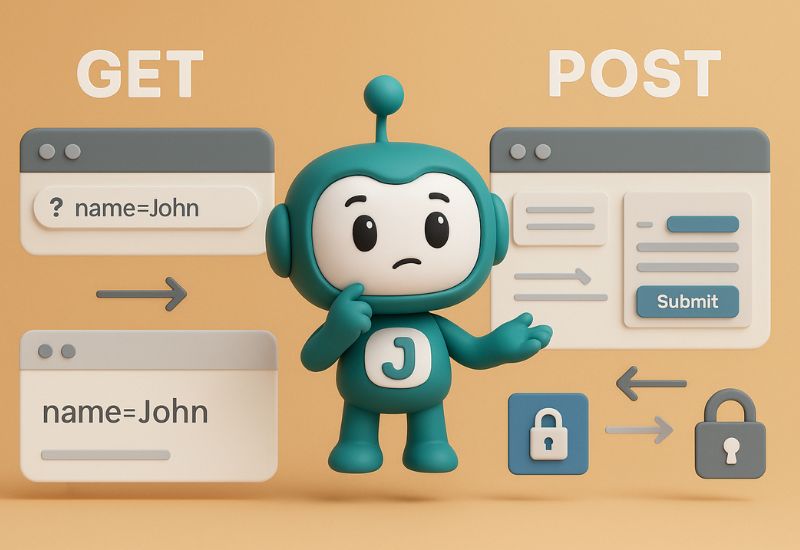
Form Submission Method | GET vs POST | Jpress
When you fill out a form online and click “submit”, the browser sends data from your device to a server. This process is controlled by the form submission method, defined with method=”GET” or method=”POST” in HTML. Each method works differently and should be used in different situations. In this article, we’ll explain what GET and POST are, how they work, and when to use each one.
Read More Articles:
- What Is API and How Does It Work? | Guide for Beginners
- Static vs Dynamic Website: Which One Should You Choose?
- Why Product Filtering Matters for E-commerce Success
The GET Method
How it works:
GET method attaches form values to the URL after a ?, like:
https://example.com/search?query=shoes
Key features:
- Sends data in the URL
- Data is visible, stored in history, server logs, and browser cache
- URL length is limited (≈2,048 characters)
- Requests can be bookmarked or shared
- Can be cached by browsers or proxies
Best used when:
- You’re retrieving data, not changing anything (e.g., search queries, filters)
- You want users to bookmark or share the result
✅ The POST Method
How it works:
POST method sends form data inside the HTTP request body, it is not visible in the URL.
Key features:
- Data stays hidden from the URL bar
- Supports much larger or binary data, such as file uploads
- Cannot be bookmarked or cached
- Suitable for creating or updating data on the server
- Not secure alone, it should still use HTTPS to protect the data
Best used when:
- Submitting personal or sensitive info (like login, payment, contact forms)
- Uploading files
- Changing server data: creating, updating, or deleting resources
When to Use GET vs POST
Use GET when:
- You’re sending data that doesn’t need privacy, e.g., search terms or filters.
- You want users to bookmark or share the URL.
Use POST when:
- You’re uploading files
- You’re adding, changing, or deleting data on the server
Conclusion
Using GET means sharing form data in a URL, which is great for public, bookmarkable searches. But when form data is private or large, POST is the right way to keep information hidden and secure. Choose the right method based on the function of the form (reading or changing data) and always use HTTPS to secure your site.
Looking to elevate your online presence?
Jpress offers comprehensive services to help your business thrive in the digital world. From cutting-edge website design and development to ongoing website maintenance, we ensure your site is always in top shape. Our expert SEO services can boost your search engine rankings, while our Facebook ads marketing strategies will drive targeted traffic to your site.
Need a standout brand identity? We provide professional logo design and graphic design to make your business memorable. Explore our full range of services and see how we can support your growth. Check out Jpress Services. For personalized support, feel free to reach out to us on WhatsApp or follow us on social media.
Learn more about our website design services | Discover our SEO solutions | Explore our marketing strategies




Form Submission Method | GET vs POST | Jpress
When you fill out a form online and click “submit”, the browser sends data from your device to a server. This process is controlled by the form submission method, defined with method=”GET” or method=”POST” in HTML. Each method works differently and should be used in different situations. In this article, we’ll explain what GET and POST are, how they work, and when to use each one.
Read More Articles:
- What Is API and How Does It Work? | Guide for Beginners
- Static vs Dynamic Website: Which One Should You Choose?
- Why Product Filtering Matters for E-commerce Success
The GET Method
How it works:
GET method attaches form values to the URL after a ?, like:
https://example.com/search?query=shoes
Key features:
- Sends data in the URL
- Data is visible, stored in history, server logs, and browser cache
- URL length is limited (≈2,048 characters)
- Requests can be bookmarked or shared
- Can be cached by browsers or proxies
Best used when:
- You’re retrieving data, not changing anything (e.g., search queries, filters)
- You want users to bookmark or share the result
✅ The POST Method
How it works:
POST method sends form data inside the HTTP request body, it is not visible in the URL.
Key features:
- Data stays hidden from the URL bar
- Supports much larger or binary data, such as file uploads
- Cannot be bookmarked or cached
- Suitable for creating or updating data on the server
- Not secure alone, it should still use HTTPS to protect the data
Best used when:
- Submitting personal or sensitive info (like login, payment, contact forms)
- Uploading files
- Changing server data: creating, updating, or deleting resources
When to Use GET vs POST
Use GET when:
- You’re sending data that doesn’t need privacy, e.g., search terms or filters.
- You want users to bookmark or share the URL.
Use POST when:
- You’re uploading files
- You’re adding, changing, or deleting data on the server
Conclusion
Using GET means sharing form data in a URL, which is great for public, bookmarkable searches. But when form data is private or large, POST is the right way to keep information hidden and secure. Choose the right method based on the function of the form (reading or changing data) and always use HTTPS to secure your site.
Looking to elevate your online presence?
Jpress offers comprehensive services to help your business thrive in the digital world. From cutting-edge website design and development to ongoing website maintenance, we ensure your site is always in top shape. Our expert SEO services can boost your search engine rankings, while our Facebook ads marketing strategies will drive targeted traffic to your site.
Need a standout brand identity? We provide professional logo design and graphic design to make your business memorable. Explore our full range of services and see how we can support your growth. Check out Jpress Services. For personalized support, feel free to reach out to us on WhatsApp or follow us on social media.
Learn more about our website design services | Discover our SEO solutions | Explore our marketing strategies


