


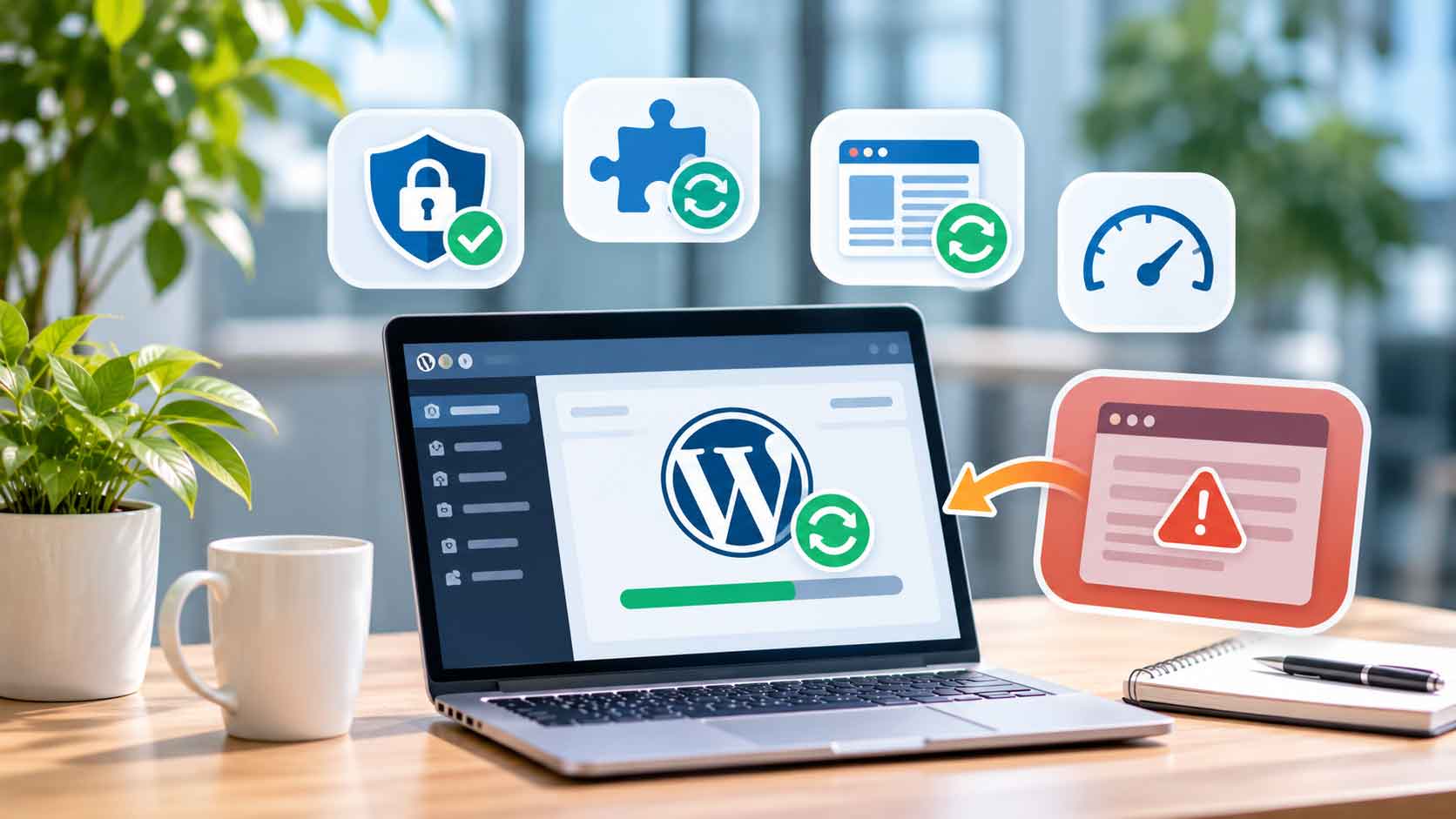
What Happens When You Don’t Update Your WordPress Website?
Your WordPress website may still look fine, but that does not mean everything behind it is working safely. Outdated plugins, themes and WordPress software can leave your website exposed to security risks, compatibility issues and unexpected errors.
For businesses in Johor and Singapore, these problems can affect more than just the website. A broken contact form, missing page elements or an inaccessible website may interrupt customer enquiries and daily business activities.
The good news is that regular WordPress Website Updates can help reduce these risks and keep your website running properly. You do not need to change your website design every time. You simply need to keep its software updated, check compatibility and maintain reliable backups.
Let’s look at what can happen when WordPress updates are ignored and how businesses can avoid these problems.
What Happens When You Don’t Update Your WordPress Website?
Leaving your website outdated for months may seem harmless, especially when everything still appears to work. However, problems can develop in the background and become harder to manage over time.
Here are five common risks of ignoring WordPress Website Updates.
1. Your Website Becomes More Vulnerable to Security Threats
One of the biggest risks of outdated WordPress software is security vulnerabilities.
Plugins and themes may contain weaknesses that attackers can use to access a website or interfere with its functions. When developers release security fixes, websites that continue using vulnerable versions may remain exposed.
According to Patchstack’s 2026 WordPress Security Report, 11,334 new vulnerabilities were discovered in the WordPress ecosystem during 2025, an increase of 42% compared with 2024. Around 91% were found in plugins and 9% in themes.
This highlights why WordPress Website Updates are important, especially when your website relies on multiple plugins.
Source: Patchstack – State of WordPress Security in 2026
2. Plugins and Themes May Stop Working Properly
WordPress websites often use plugins and themes to add features such as contact forms, image galleries, SEO tools and page builders.
When WordPress Website Updates are ignored, older software may become incompatible with newer components or other services.
You may experience problems such as:
- Contact forms not submitting correctly.
- Elementor layouts displaying incorrectly.
- Website buttons or features becoming unresponsive.
- Plugin functions failing after other software changes.
These problems do not happen with every outdated website, but they can become more difficult to troubleshoot when several components are running old versions.
3. Your Website May Experience Performance Issues
Outdated software does not automatically make a website slow. However, older versions may miss performance improvements, bug fixes and compatibility enhancements.
For example, an outdated plugin may not work efficiently with your current WordPress setup.
Regular WordPress Website Updates can help keep your website software compatible and functioning as intended. However, website speed also depends on hosting quality, image sizes, caching and overall website design.
4. Your Website May Have PHP Compatibility Problems
WordPress runs on PHP, which works in the background to process website functions.
If your hosting server uses an outdated PHP version, your website may face security and compatibility concerns.
WordPress currently recommends PHP 8.3 or newer for its hosting environment. Older PHP versions may still run certain WordPress installations, but versions that have reached End of Life no longer receive official security support.
Before changing PHP versions, check whether your WordPress core, plugins and themes are compatible.
Source: WordPress – Requirements
5. Website Maintenance Can Become More Complicated
When WordPress Website Updates are postponed for a long time, several components may become outdated at once.
Updating everything together without checking compatibility can increase the risk of errors.
For example, an older plugin may not work properly with a newer WordPress version. Finding the cause can take more time when multiple components have changed.
Regular WordPress Maintenance makes it easier to review updates, identify problems early and keep your website manageable.
Why WordPress Website Updates Are Important
Keeping WordPress updated is not just about having the latest version displayed in your dashboard. It is part of maintaining a reliable website for your business.
Regular WordPress Website Updates can help you:
- Improve security: Apply available security fixes to supported software.
- Maintain compatibility: Keep WordPress, plugins and themes working together.
- Reduce unexpected errors: Identify issues through regular checks.
- Support website performance: Benefit from relevant software improvements.
- Protect website functionality: Keep important features such as enquiry forms and navigation working properly.
For businesses in Johor and Singapore, maintaining a working website is especially important when customers rely on it to check services, request quotations or contact the company.
You can also learn more about professional website development services when planning improvements to your business website.
What Should You Update on Your WordPress Website?
A WordPress website consists of several components. Updating only WordPress itself is not enough if other important software remains outdated.
Here are the main areas to check:
1. WordPress Core
WordPress Core is the main software that runs your website.
Install available updates to receive improvements, bug fixes and security patches. Check the release information before major version changes.
2. Plugins
Plugins provide additional website functions, such as contact forms, SEO tools, security features and page builders.
Review your installed plugins regularly. Update the ones you use and remove plugins that are no longer needed.
3. Themes
Your theme controls much of your website’s appearance and layout.
Keep your active theme updated to maintain compatibility and receive available fixes. If you use a child theme, check that customisations remain intact after updates.
4. PHP Version
Check your hosting environment to see whether it uses a supported PHP version.
Do not change PHP versions without checking compatibility first. Make a backup and test the website after the change.
How Often Should You Update Your WordPress Website?
There is no single update schedule that suits every website. The right frequency depends on the software you use, your website functions and the availability of important security fixes.
As a practical routine:
- Weekly: Check for available WordPress, plugin and theme updates.
- Before major updates: Create a complete website backup.
- After updates: Check important pages, forms, buttons and Elementor layouts.
- Regularly: Review unused plugins, themes and PHP compatibility.
Security updates should not be ignored simply because your next routine maintenance date has not arrived.
WordPress also provides official guidance on updating your website and checking compatibility.
If your website supports important business activities, consider testing updates on a staging site before applying them to the live website.
Final Thoughts: Don’t Wait Until Your Website Breaks
Ignoring WordPress Website Updates may not cause immediate problems, but it can increase security risks and make future maintenance more difficult.
For businesses in Johor and Singapore, a properly maintained website helps customers access information and contact the company without unnecessary interruptions.
Make WordPress Maintenance part of your regular website routine. Keep your core software, plugins, themes and PHP environment under review, and always maintain a reliable backup.
A website that works well today should also be properly maintained for the future.


What Happens When You Don’t Update Your WordPress Website?
Your WordPress website may still look fine, but that does not mean everything behind it is working safely. Outdated plugins, themes and WordPress software can leave your website exposed to security risks, compatibility issues and unexpected errors.
For businesses in Johor and Singapore, these problems can affect more than just the website. A broken contact form, missing page elements or an inaccessible website may interrupt customer enquiries and daily business activities.
The good news is that regular WordPress Website Updates can help reduce these risks and keep your website running properly. You do not need to change your website design every time. You simply need to keep its software updated, check compatibility and maintain reliable backups.
Let’s look at what can happen when WordPress updates are ignored and how businesses can avoid these problems.
What Happens When You Don’t Update Your WordPress Website?
Leaving your website outdated for months may seem harmless, especially when everything still appears to work. However, problems can develop in the background and become harder to manage over time.
Here are five common risks of ignoring WordPress Website Updates.
1. Your Website Becomes More Vulnerable to Security Threats
One of the biggest risks of outdated WordPress software is security vulnerabilities.
Plugins and themes may contain weaknesses that attackers can use to access a website or interfere with its functions. When developers release security fixes, websites that continue using vulnerable versions may remain exposed.
According to Patchstack’s 2026 WordPress Security Report, 11,334 new vulnerabilities were discovered in the WordPress ecosystem during 2025, an increase of 42% compared with 2024. Around 91% were found in plugins and 9% in themes.
This highlights why WordPress Website Updates are important, especially when your website relies on multiple plugins.
Source: Patchstack – State of WordPress Security in 2026
2. Plugins and Themes May Stop Working Properly
WordPress websites often use plugins and themes to add features such as contact forms, image galleries, SEO tools and page builders.
When WordPress Website Updates are ignored, older software may become incompatible with newer components or other services.
You may experience problems such as:
- Contact forms not submitting correctly.
- Elementor layouts displaying incorrectly.
- Website buttons or features becoming unresponsive.
- Plugin functions failing after other software changes.
These problems do not happen with every outdated website, but they can become more difficult to troubleshoot when several components are running old versions.
3. Your Website May Experience Performance Issues
Outdated software does not automatically make a website slow. However, older versions may miss performance improvements, bug fixes and compatibility enhancements.
For example, an outdated plugin may not work efficiently with your current WordPress setup.
Regular WordPress Website Updates can help keep your website software compatible and functioning as intended. However, website speed also depends on hosting quality, image sizes, caching and overall website design.
4. Your Website May Have PHP Compatibility Problems
WordPress runs on PHP, which works in the background to process website functions.
If your hosting server uses an outdated PHP version, your website may face security and compatibility concerns.
WordPress currently recommends PHP 8.3 or newer for its hosting environment. Older PHP versions may still run certain WordPress installations, but versions that have reached End of Life no longer receive official security support.
Before changing PHP versions, check whether your WordPress core, plugins and themes are compatible.
Source: WordPress – Requirements
5. Website Maintenance Can Become More Complicated
When WordPress Website Updates are postponed for a long time, several components may become outdated at once.
Updating everything together without checking compatibility can increase the risk of errors.
For example, an older plugin may not work properly with a newer WordPress version. Finding the cause can take more time when multiple components have changed.
Regular WordPress Maintenance makes it easier to review updates, identify problems early and keep your website manageable.
Why WordPress Website Updates Are Important
Keeping WordPress updated is not just about having the latest version displayed in your dashboard. It is part of maintaining a reliable website for your business.
Regular WordPress Website Updates can help you:
- Improve security: Apply available security fixes to supported software.
- Maintain compatibility: Keep WordPress, plugins and themes working together.
- Reduce unexpected errors: Identify issues through regular checks.
- Support website performance: Benefit from relevant software improvements.
- Protect website functionality: Keep important features such as enquiry forms and navigation working properly.
For businesses in Johor and Singapore, maintaining a working website is especially important when customers rely on it to check services, request quotations or contact the company.
You can also learn more about professional website development services when planning improvements to your business website.
What Should You Update on Your WordPress Website?
A WordPress website consists of several components. Updating only WordPress itself is not enough if other important software remains outdated.
Here are the main areas to check:
1. WordPress Core
WordPress Core is the main software that runs your website.
Install available updates to receive improvements, bug fixes and security patches. Check the release information before major version changes.
2. Plugins
Plugins provide additional website functions, such as contact forms, SEO tools, security features and page builders.
Review your installed plugins regularly. Update the ones you use and remove plugins that are no longer needed.
3. Themes
Your theme controls much of your website’s appearance and layout.
Keep your active theme updated to maintain compatibility and receive available fixes. If you use a child theme, check that customisations remain intact after updates.
4. PHP Version
Check your hosting environment to see whether it uses a supported PHP version.
Do not change PHP versions without checking compatibility first. Make a backup and test the website after the change.
How Often Should You Update Your WordPress Website?
There is no single update schedule that suits every website. The right frequency depends on the software you use, your website functions and the availability of important security fixes.
As a practical routine:
- Weekly: Check for available WordPress, plugin and theme updates.
- Before major updates: Create a complete website backup.
- After updates: Check important pages, forms, buttons and Elementor layouts.
- Regularly: Review unused plugins, themes and PHP compatibility.
Security updates should not be ignored simply because your next routine maintenance date has not arrived.
WordPress also provides official guidance on updating your website and checking compatibility.
If your website supports important business activities, consider testing updates on a staging site before applying them to the live website.
Final Thoughts: Don’t Wait Until Your Website Breaks
Ignoring WordPress Website Updates may not cause immediate problems, but it can increase security risks and make future maintenance more difficult.
For businesses in Johor and Singapore, a properly maintained website helps customers access information and contact the company without unnecessary interruptions.
Make WordPress Maintenance part of your regular website routine. Keep your core software, plugins, themes and PHP environment under review, and always maintain a reliable backup.
A website that works well today should also be properly maintained for the future.
Everything You Need to Grow Online
Choose the Right Digital Solutions for Your Business.





Everything You Need
to Grow Online
Choose the Right Digital
Solutions for Your Business.
