


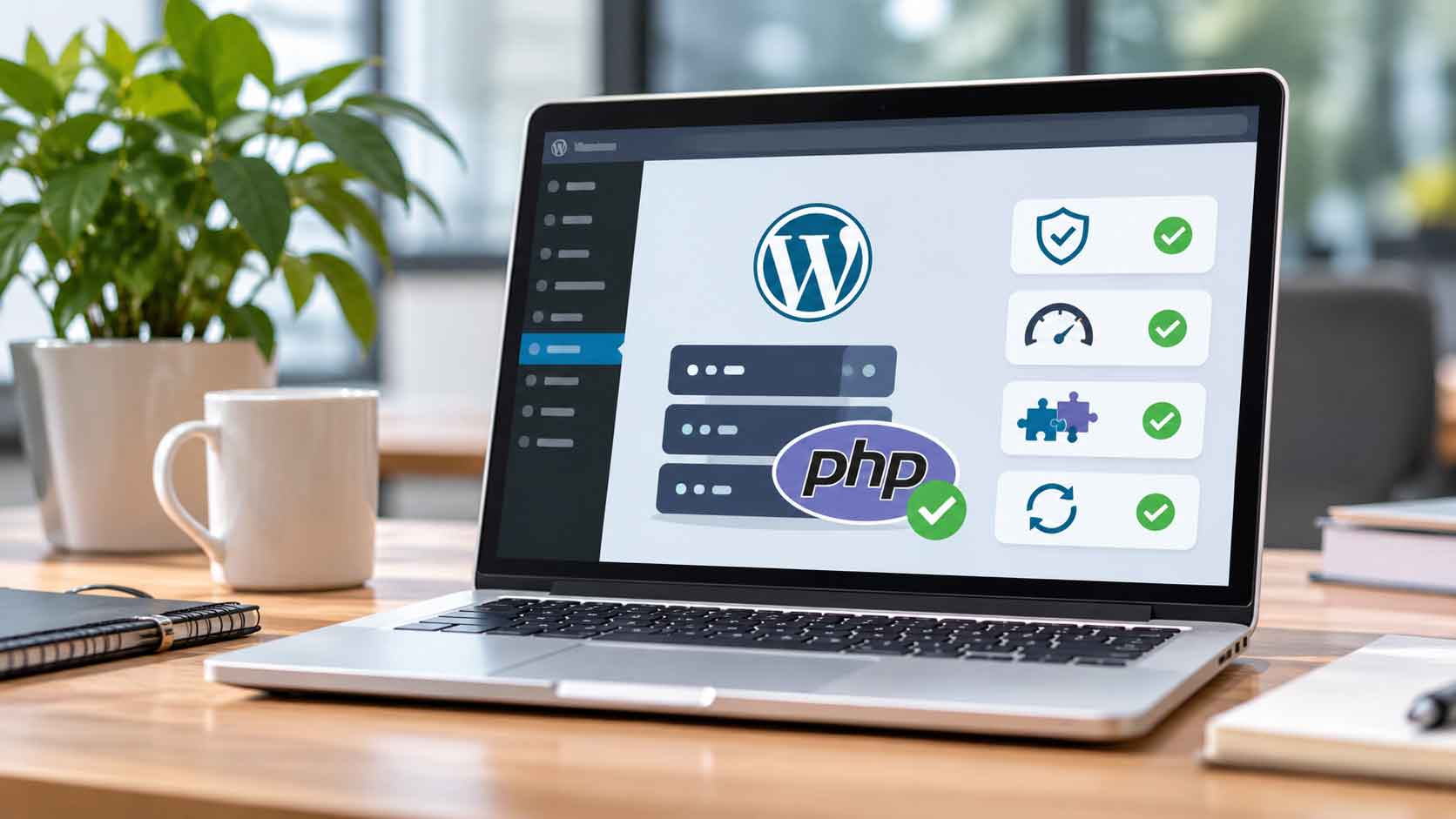
PHP Version Compatibility: Why It Matters for Your WordPress Website
PHP Version Compatibility plays an important role in keeping a WordPress website secure, stable and working properly. PHP is the programming language that WordPress uses on the server. If your PHP version is outdated or does not work well with your WordPress core, theme or plugins, your website may experience errors, slow performance or security issues.
For business owners in Malaysia, this is an important part of website maintenance. Whether your company is based in Kuala Lumpur, Johor Bahru, Penang, Ipoh or another area, checking PHP Compatibility helps reduce the risk of problems when updating your website.
The good news is that you do not need to understand programming to manage this properly. You mainly need to know which PHP version your website uses, whether your website components support it and how to prepare before upgrading.
What Is PHP and Why Does WordPress Use It?
PHP is a server-side programming language. It processes website requests on the server and helps display the pages visitors see in their browsers.
WordPress is built mainly with PHP. When someone visits your website, PHP works with the WordPress core, database, theme and plugins to generate the page content.
For example, when a visitor opens your service page or submits an enquiry form, PHP helps WordPress process the request and display the right information.
This is why PHP Version Compatibility matters. Your website needs a PHP version that works properly with the WordPress version and the other components installed on it.
Why PHP Version Compatibility Matters for Your Website
Using a suitable PHP version is not just a technical requirement. It can affect how your website performs, how safely it runs and whether important features continue to work.
1. It Helps Protect Your Website
Older PHP versions may stop receiving security updates after reaching their End of Life (EOL). When that happens, newly discovered security issues may no longer receive official fixes for that version.
According to the official PHP supported versions page, PHP branches generally receive two years of active support, followed by two years of security support. After that, the version reaches End of Life.
Running an unsupported version can leave your website exposed to security risks. Keeping PHP up to date is therefore one part of maintaining a safer WordPress website.
However, upgrading PHP alone does not guarantee complete website security. You should also keep WordPress, themes and plugins updated, use strong passwords and maintain regular backups.
2. It Supports Better Website Performance
Newer PHP versions can include improvements to how code is processed. These improvements may help a website run more efficiently, depending on its hosting environment, theme, plugins and website setup.
For example, a website using an old PHP version may not benefit from improvements available in newer supported releases.
However, PHP Version Compatibility is not the only factor that affects loading speed. Image sizes, hosting resources, caching, database performance and website code also play a role.
If your WordPress website feels slow, it is worth checking the PHP version as part of a wider performance review rather than assuming PHP is the only cause.
3. It Helps Prevent Website Errors
A PHP update can change how certain functions work. If an older theme or plugin uses code that is no longer supported or behaves differently in a newer version, errors may appear.
Some common signs include:
- A blank or incomplete page
- Error messages on the website
- A plugin or feature that stops working
- Problems when editing pages in the WordPress dashboard
- A website that becomes unstable after an update
These issues do not happen to every website. They are more likely when the website uses outdated or poorly maintained components.
Checking PHP Compatibility before upgrading helps you identify possible problems earlier.
4. It Helps Keep WordPress Components Working Together
A WordPress website is made up of several components. The WordPress core provides the main system, while themes control the design and plugins add extra features.
All these components need to work with the PHP version running on your hosting server.
For example, your contact form plugin may work correctly with your current PHP version but show errors after an upgrade if it has not been updated to support the newer version.
This is why you should check more than the WordPress core. Theme and plugin compatibility are also important.
PHP Compatibility: What Should You Check Before Upgrading?
Before changing your PHP version, take some time to review your website. A quick check can help you avoid unnecessary downtime and unexpected errors.
1. Check Your Current PHP Version
You can usually find your PHP version through your hosting control panel. Many hosting providers display it under a section such as PHP Settings, PHP Manager or Select PHP Version.
You can also check through the WordPress dashboard:
- Log in to your WordPress dashboard.
- Go to Tools.
- Select Site Health.
- Open the Info
- Look for the Server section to view your PHP information.
If you cannot find the setting, contact your hosting provider and ask which PHP version is currently assigned to your website.
2. Check Your WordPress Version
Your WordPress version also matters. Different WordPress releases support different PHP versions.
The WordPress requirements page recommends PHP 8.3 or greater as its baseline. WordPress may still run on older PHP versions, but those versions may have reached End of Life and can expose websites to security vulnerabilities.
Do not assume that an older WordPress installation will work perfectly with every newer PHP release. Check the compatibility information for your installed WordPress version before making changes.
3. Review Your Themes and Plugins
Themes and plugins can introduce compatibility problems, especially if they have not been updated for a long time.
Before upgrading, check:
- Whether your active theme is regularly maintained
- Whether your plugins have recent updates
- Whether developers mention support for your target PHP version
- Whether any plugins are no longer needed or supported
If a plugin has not been updated for a long time, check its documentation or contact its developer before upgrading.
You should also review any custom code added to your website. Custom functions may need attention if they rely on older PHP behaviour.
4. Create a Full Website Backup
A backup gives you a way to restore your website if something goes wrong.
Before changing PHP, make sure you have a recent backup of both:
- Your website files, including WordPress, themes, plugins and uploaded media
- Your website database, which stores content, settings and other information
Do not rely on a backup that you have never tested. Make sure you know how to restore it or ask your hosting provider about the recovery process.
5. Test the Website After Upgrading
After changing PHP, do not assume everything is working just because the homepage loads.
Check important areas of your website, including:
- Homepage and main service pages
- Contact forms and enquiry functions
- Navigation menus and buttons
- Login and dashboard functions
- Online payment or booking features, if available
- Mobile layout and page display
If you notice an error, contact your hosting provider or website developer. They can help identify whether the issue is related to PHP, a plugin, a theme or another server setting.
For a more detailed explanation of website risks, read our guide to PHP security vulnerabilities.
PHP Version Compatibility for WordPress Websites in Malaysia
For businesses in Malaysia, PHP Version Compatibility should be part of regular website maintenance, not something to consider only when an error appears.
A company website in Kuala Lumpur may use different plugins and hosting resources from a small business website in Johor Bahru, Penang, Melaka or Kota Kinabalu. However, the basic requirement is the same: the PHP version must work with the WordPress core, theme and plugins installed on the website.
If your website was built several years ago and has not received regular updates, it is worth checking whether its current PHP version is still supported.
The WordPress Hosting Handbook recommends PHP 8.4 or later for production environments. It also explains that WordPress versions have different levels of compatibility with PHP releases. For example, the handbook lists full compatibility with PHP 8.5 for WordPress 6.9 and later.
This does not mean every website should immediately switch to the newest PHP version. Your hosting environment and all installed website components still need to be checked before an upgrade.
If you are unsure, ask your hosting provider or website developer to review your current setup and recommend a suitable upgrade plan.
Common Mistakes to Avoid When Updating PHP
PHP updates are important, but rushing the process can create problems. Here are a few mistakes website owners should avoid.
Updating PHP Without Checking Compatibility
Choosing the newest available version without checking your theme and plugins may cause parts of your website to stop working.
Check the compatibility information first and test the website before applying changes to the live site.
Skipping Website Backups
A PHP update may affect website functions. Without a backup, restoring the previous working version can become more difficult.
Always prepare a recent backup before making server-level changes.
Ignoring Old Plugins and Themes
An outdated plugin or theme may not support newer PHP versions. It can also introduce security and maintenance concerns.
Remove components you no longer use and replace unsupported ones with maintained alternatives where possible.
Assuming PHP Is the Only Cause of Website Problems
A slow or unstable website is not always caused by PHP. Hosting limitations, large images, database issues and poorly optimised plugins can also affect performance.
A proper check should look at the website as a whole.
Keep Your WordPress Website Updated with Proper Maintenance
PHP Version Compatibility is an important part of keeping a WordPress website healthy. A suitable PHP version helps your website work with its WordPress core, themes and plugins while supporting better security and performance.
However, updating PHP should always be done carefully. Check your current version, review your website components, create a backup and test important functions after the upgrade.
If you are not familiar with server settings, your hosting provider or website developer can help you check the requirements before making changes.
At Jpress, we understand that business owners have other responsibilities to manage. Our website development services and website maintenance services can help keep your WordPress website updated, functional and easier to manage.
A well-maintained website is not just about having the latest software. It is about making sure every part of the website continues to work properly for your business and your visitors.


PHP Version Compatibility: Why It Matters for Your WordPress Website
PHP Version Compatibility plays an important role in keeping a WordPress website secure, stable and working properly. PHP is the programming language that WordPress uses on the server. If your PHP version is outdated or does not work well with your WordPress core, theme or plugins, your website may experience errors, slow performance or security issues.
For business owners in Malaysia, this is an important part of website maintenance. Whether your company is based in Kuala Lumpur, Johor Bahru, Penang, Ipoh or another area, checking PHP Compatibility helps reduce the risk of problems when updating your website.
The good news is that you do not need to understand programming to manage this properly. You mainly need to know which PHP version your website uses, whether your website components support it and how to prepare before upgrading.
What Is PHP and Why Does WordPress Use It?
PHP is a server-side programming language. It processes website requests on the server and helps display the pages visitors see in their browsers.
WordPress is built mainly with PHP. When someone visits your website, PHP works with the WordPress core, database, theme and plugins to generate the page content.
For example, when a visitor opens your service page or submits an enquiry form, PHP helps WordPress process the request and display the right information.
This is why PHP Version Compatibility matters. Your website needs a PHP version that works properly with the WordPress version and the other components installed on it.
Why PHP Version Compatibility Matters for Your Website
Using a suitable PHP version is not just a technical requirement. It can affect how your website performs, how safely it runs and whether important features continue to work.
1. It Helps Protect Your Website
Older PHP versions may stop receiving security updates after reaching their End of Life (EOL). When that happens, newly discovered security issues may no longer receive official fixes for that version.
According to the official PHP supported versions page, PHP branches generally receive two years of active support, followed by two years of security support. After that, the version reaches End of Life.
Running an unsupported version can leave your website exposed to security risks. Keeping PHP up to date is therefore one part of maintaining a safer WordPress website.
However, upgrading PHP alone does not guarantee complete website security. You should also keep WordPress, themes and plugins updated, use strong passwords and maintain regular backups.
2. It Supports Better Website Performance
Newer PHP versions can include improvements to how code is processed. These improvements may help a website run more efficiently, depending on its hosting environment, theme, plugins and website setup.
For example, a website using an old PHP version may not benefit from improvements available in newer supported releases.
However, PHP Version Compatibility is not the only factor that affects loading speed. Image sizes, hosting resources, caching, database performance and website code also play a role.
If your WordPress website feels slow, it is worth checking the PHP version as part of a wider performance review rather than assuming PHP is the only cause.
3. It Helps Prevent Website Errors
A PHP update can change how certain functions work. If an older theme or plugin uses code that is no longer supported or behaves differently in a newer version, errors may appear.
Some common signs include:
- A blank or incomplete page
- Error messages on the website
- A plugin or feature that stops working
- Problems when editing pages in the WordPress dashboard
- A website that becomes unstable after an update
These issues do not happen to every website. They are more likely when the website uses outdated or poorly maintained components.
Checking PHP Compatibility before upgrading helps you identify possible problems earlier.
4. It Helps Keep WordPress Components Working Together
A WordPress website is made up of several components. The WordPress core provides the main system, while themes control the design and plugins add extra features.
All these components need to work with the PHP version running on your hosting server.
For example, your contact form plugin may work correctly with your current PHP version but show errors after an upgrade if it has not been updated to support the newer version.
This is why you should check more than the WordPress core. Theme and plugin compatibility are also important.
PHP Compatibility: What Should You Check Before Upgrading?
Before changing your PHP version, take some time to review your website. A quick check can help you avoid unnecessary downtime and unexpected errors.
1. Check Your Current PHP Version
You can usually find your PHP version through your hosting control panel. Many hosting providers display it under a section such as PHP Settings, PHP Manager or Select PHP Version.
You can also check through the WordPress dashboard:
- Log in to your WordPress dashboard.
- Go to Tools.
- Select Site Health.
- Open the Info
- Look for the Server section to view your PHP information.
If you cannot find the setting, contact your hosting provider and ask which PHP version is currently assigned to your website.
2. Check Your WordPress Version
Your WordPress version also matters. Different WordPress releases support different PHP versions.
The WordPress requirements page recommends PHP 8.3 or greater as its baseline. WordPress may still run on older PHP versions, but those versions may have reached End of Life and can expose websites to security vulnerabilities.
Do not assume that an older WordPress installation will work perfectly with every newer PHP release. Check the compatibility information for your installed WordPress version before making changes.
3. Review Your Themes and Plugins
Themes and plugins can introduce compatibility problems, especially if they have not been updated for a long time.
Before upgrading, check:
- Whether your active theme is regularly maintained
- Whether your plugins have recent updates
- Whether developers mention support for your target PHP version
- Whether any plugins are no longer needed or supported
If a plugin has not been updated for a long time, check its documentation or contact its developer before upgrading.
You should also review any custom code added to your website. Custom functions may need attention if they rely on older PHP behaviour.
4. Create a Full Website Backup
A backup gives you a way to restore your website if something goes wrong.
Before changing PHP, make sure you have a recent backup of both:
- Your website files, including WordPress, themes, plugins and uploaded media
- Your website database, which stores content, settings and other information
Do not rely on a backup that you have never tested. Make sure you know how to restore it or ask your hosting provider about the recovery process.
5. Test the Website After Upgrading
After changing PHP, do not assume everything is working just because the homepage loads.
Check important areas of your website, including:
- Homepage and main service pages
- Contact forms and enquiry functions
- Navigation menus and buttons
- Login and dashboard functions
- Online payment or booking features, if available
- Mobile layout and page display
If you notice an error, contact your hosting provider or website developer. They can help identify whether the issue is related to PHP, a plugin, a theme or another server setting.
For a more detailed explanation of website risks, read our guide to PHP security vulnerabilities.
PHP Version Compatibility for WordPress Websites in Malaysia
For businesses in Malaysia, PHP Version Compatibility should be part of regular website maintenance, not something to consider only when an error appears.
A company website in Kuala Lumpur may use different plugins and hosting resources from a small business website in Johor Bahru, Penang, Melaka or Kota Kinabalu. However, the basic requirement is the same: the PHP version must work with the WordPress core, theme and plugins installed on the website.
If your website was built several years ago and has not received regular updates, it is worth checking whether its current PHP version is still supported.
The WordPress Hosting Handbook recommends PHP 8.4 or later for production environments. It also explains that WordPress versions have different levels of compatibility with PHP releases. For example, the handbook lists full compatibility with PHP 8.5 for WordPress 6.9 and later.
This does not mean every website should immediately switch to the newest PHP version. Your hosting environment and all installed website components still need to be checked before an upgrade.
If you are unsure, ask your hosting provider or website developer to review your current setup and recommend a suitable upgrade plan.
Common Mistakes to Avoid When Updating PHP
PHP updates are important, but rushing the process can create problems. Here are a few mistakes website owners should avoid.
Updating PHP Without Checking Compatibility
Choosing the newest available version without checking your theme and plugins may cause parts of your website to stop working.
Check the compatibility information first and test the website before applying changes to the live site.
Skipping Website Backups
A PHP update may affect website functions. Without a backup, restoring the previous working version can become more difficult.
Always prepare a recent backup before making server-level changes.
Ignoring Old Plugins and Themes
An outdated plugin or theme may not support newer PHP versions. It can also introduce security and maintenance concerns.
Remove components you no longer use and replace unsupported ones with maintained alternatives where possible.
Assuming PHP Is the Only Cause of Website Problems
A slow or unstable website is not always caused by PHP. Hosting limitations, large images, database issues and poorly optimised plugins can also affect performance.
A proper check should look at the website as a whole.
Keep Your WordPress Website Updated with Proper Maintenance
PHP Version Compatibility is an important part of keeping a WordPress website healthy. A suitable PHP version helps your website work with its WordPress core, themes and plugins while supporting better security and performance.
However, updating PHP should always be done carefully. Check your current version, review your website components, create a backup and test important functions after the upgrade.
If you are not familiar with server settings, your hosting provider or website developer can help you check the requirements before making changes.
At Jpress, we understand that business owners have other responsibilities to manage. Our website development services and website maintenance services can help keep your WordPress website updated, functional and easier to manage.
A well-maintained website is not just about having the latest software. It is about making sure every part of the website continues to work properly for your business and your visitors.
Everything You Need to Grow Online
Choose the Right Digital Solutions for Your Business.




Everything You Need
to Grow Online
Choose the Right Digital
Solutions for Your Business.
